Wielofunkcyjny programator LCD Hobbywing PRO G3 to zaawansowane urządzenie do programowania kompatybilnych bezszczotkowych regulatorów ESC Hobbywing. W porównaniu z prostą kartą programującą LED ten programator LCD oferuje większy ekran, konfigurację parametrów za pomocą menu, import i eksport profili ESC, połączenie USB do konfiguracji z komputera, wbudowane programowanie Bluetooth OTA oraz kontrolę napięcia akumulatora — wszystko w jednym kompaktowym urządzeniu do użytku w terenie.
Może działać jako niezależny programator LCD, adapter USB do konfiguracji za pomocą komputera z systemem Windows i oprogramowania Hobbywing USB Link, moduł Bluetooth OTA do regulacji ustawień w aplikacji mobilnej oraz kontroler napięcia obsługiwanych pakietów akumulatorów litowych. Kompatybilność zależy od dokładnego modelu regulatora ESC, dlatego przed użyciem zawsze sprawdź jego instrukcję.
Najważniejsze cechy
-
Wielofunkcyjne urządzenie do programowania ESC: bezpośrednio wyświetlaj, ustawiaj i udostępniaj parametry kompatybilnych regulatorów ESC za pomocą wbudowanego ekranu LCD.
-
Duży interfejs LCD: łatwiejszy w odczycie niż podstawowa karta programująca LED, z menu umożliwiającym nawigację po ustawieniach parametrów, rejestrach danych, trybach i ustawieniach systemowych.
-
Wbudowany moduł Bluetooth OTA: używaj aplikacji HW Link V2 do regulacji parametrów ESC, aktualizacji oprogramowania układowego i odczytu danych w obsługiwanych regulatorach ESC.
-
Obsługa Windows USB Link: podłącz urządzenie do komputera przez interfejs USB Type-C, aby aktualizować oprogramowanie układowe kompatybilnych regulatorów ESC i dostosowywać ich parametry.
-
Import i eksport profili ESC: zapisuj, importuj, kopiuj, usuwaj, zmieniaj nazwy i udostępniaj pliki konfiguracji ESC dla obsługiwanych modeli regulatorów.
-
Kontroler napięcia akumulatora: wykrywa całkowite napięcie akumulatora oraz napięcie poszczególnych ogniw w obsługiwanych pakietach litowych.
-
Zakres kontroli akumulatorów 2–8S: zgodnie z oficjalną instrukcją obsługuje wykrywanie napięcia akumulatorów litowo-polimerowych, litowo-jonowych i Li-Fe o konfiguracji 2–8S.
-
Obsługa wielu języków: obsługuje ustawienia języka chińskiego, angielskiego i japońskiego.
-
Kompaktowa konstrukcja do użytku w terenie: przenośne urządzenie o masie 85 g do konfiguracji w warsztacie, regulacji na torze, ustawień przed lotem i diagnostyki w terenie.
Specyfikacja produktu
| Marka |
Hobbywing |
| Nazwa produktu |
Wielofunkcyjny programator LCD PRO G3 |
| Oznaczenie modelu |
PLATINUMPB |
| Typ produktu |
Programator LCD ESC / programator OTA / kontroler napięcia akumulatora |
| Napięcie wejściowe |
DC 5–12,6 V |
| Zakres kontroli napięcia akumulatora |
2–8S litowo-polimerowe / litowo-jonowe / Li-Fe |
| Dokładność pomiaru napięcia akumulatora |
±0,1 V |
| Interfejsy |
Programowanie ESC, zasilanie, USB Type-C, kontroler akumulatora |
| Wymiary (dł. × szer. × wys.) |
105,6 × 59 × 24,4 mm |
| Przybliżona masa |
85 g |
| Numer katalogowy |
30502002 |
Kompatybilne serie regulatorów Hobbywing
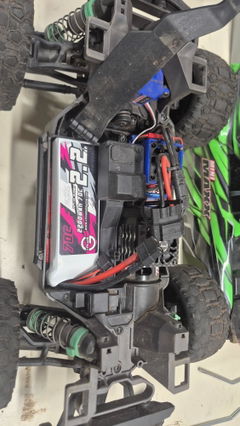
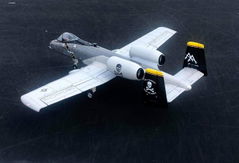
Wielofunkcyjny LCD Program Box PRO G3 jest przeznaczony do kompatybilnych regulatorów ESC Hobbywing, ale obsługa zależy od konkretnego modelu ESC. Oficjalna instrukcja wymienia bezszczotkowe regulatory ESC do samolotów z serii Platinum, bezszczotkowe regulatory ESC XeRun i EzRun V2.0 oraz nowsze, bezszczotkowe regulatory ESC do łodzi SeaKing Pro oraz niektóre regulatory ESC QuicRun. Obejmuje również regulatory ESC obsługiwane przez poprzedni program box LCD G2 i moduł Bluetooth OTA.
| Regulatory ESC do samolotów |
Bezszczotkowe regulatory ESC do samolotów z serii Hobbywing Platinum oraz inne kompatybilne regulatory ESC obsługiwane przez poprzedni program box LCD G2 / moduł Bluetooth OTA. |
| Regulatory ESC do samochodów |
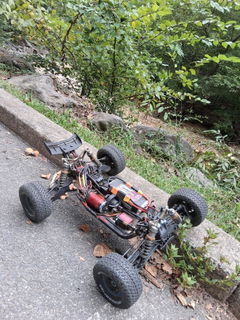
Seria XeRun i EzRun MAX V2.0 oraz nowsze, a także niektóre regulatory ESC z serii QuicRun, zależnie od obsługi danego modelu. |
| Regulatory ESC do łodzi |
Bezszczotkowe regulatory ESC do łodzi z serii SeaKing Pro oraz inne obsługiwane kompatybilne modele. |
Ważne: Nie zakładaj, że każdy ESC Hobbywing jest kompatybilny. W przypadku modeli FlyFun, SkyWalker, QuicRun, XeRun, EzRun, SeaKing i Platinum zawsze sprawdź instrukcję ESC lub wymagania produktu przed użyciem tego program boxa.
Cztery główne sposoby korzystania z tego program boxa
Wielofunkcyjny LCD Program Box PRO G3 firmy Hobbywing to coś więcej niż podstawowa karta programująca. Można go używać na kilka różnych sposobów, zależnie od posiadanego ESC i potrzeb związanych z konfiguracją.
| Program Box LCD |
Korzystaj z wbudowanego ekranu LCD, aby wyświetlać, dostosowywać, zapisywać i udostępniać parametry ESC w obsługiwanych regulatorach ESC. |
| Adapter USB Link |
Podłącz ESC do komputera z systemem Windows za pomocą interfejsu USB Type-C i oprogramowania Hobbywing USB Link, aby skonfigurować parametry i zaktualizować oprogramowanie sprzętowe. |
| Moduł Bluetooth OTA |
Korzystaj z aplikacji mobilnej HW Link V2 na iOS lub Androidzie, aby dostosowywać parametry ESC, aktualizować oprogramowanie sprzętowe i odczytywać dane, jeśli funkcje te są obsługiwane. |
| Tester napięcia akumulatora |
Podłącz wtyczkę balansera akumulatora, aby sprawdzić całkowite napięcie pakietu oraz napięcie poszczególnych ogniw w obsługiwanych akumulatorach litowych 2–8S. |
Funkcje menu LCD
Menu LCD ułatwia pracę z obsługiwanymi ustawieniami ESC bezpośrednio z poziomu program boxa. Dostępne menu obejmują ustawienia parametrów, rejestr danych, ustawianie trybu i ustawienia systemu. Dokładne opcje zależą od podłączonego modelu ESC i obsługiwanego oprogramowania sprzętowego.

-
Ustawienia parametrów: wyświetlaj i ustawiaj obsługiwane parametry ESC.
-
Rejestr danych: wyświetlaj zarejestrowane dane ESC, takie jak maksymalna temperatura ESC, maksymalna temperatura silnika, minimalne napięcie akumulatora i maksymalne obroty silnika, gdy ESC obsługuje rejestrowanie danych.
-
Ustawianie trybu: przełączaj profile ESC w obsługiwanych regulatorach ESC z wieloma trybami i zarządzaj zapisanymi plikami konfiguracji.
-
Importowanie / dodawanie plików konfiguracji: zapisuj ustawienia ESC, importuj pliki konfiguracji, kopiuj profile, zmieniaj nazwy plików, usuwaj pliki i udostępniaj ustawienia między obsługiwanymi regulatorami ESC tego samego modelu.
-
Ustawienia systemu: dostosuj język, jasność ekranu, dźwięk, informacje o urządzeniu i opcje resetowania.
Konfiguracja OTA Bluetooth i aplikacji mobilnej
Wbudowany moduł OTA Bluetooth umożliwia współpracę skrzynki programującej z aplikacją mobilną Hobbywing HW Link V2. Za pomocą aplikacji użytkownicy mogą regulować parametry regulatora ESC, aktualizować oprogramowanie sprzętowe i odczytywać dane z obsługiwanych regulatorów ESC. Funkcja OTA działa zarówno na urządzeniach z systemem iOS, jak i Android.
Fabryczna nazwa Bluetooth i hasło mogą być podane w oficjalnej instrukcji lub wyświetlone podczas procesu łączenia w aplikacji. Podczas parowania skrzynki programującej z telefonem należy zawsze postępować zgodnie z oficjalnymi instrukcjami Hobbywing dotyczącymi nawiązywania połączenia.
Aktualizacja oprogramowania sprzętowego przez USB Link w systemie Windows
Interfejs USB Type-C umożliwia podłączenie skrzynki programującej do komputera PC z systemem Windows. Za pomocą oprogramowania Hobbywing USB Link zgodne regulatory ESC można podłączać przez skrzynkę programującą w celu aktualizacji oprogramowania sprzętowego i konfiguracji parametrów. Oprogramowanie USB Link na komputery jest przeznaczone wyłącznie dla użytkowników komputerów PC.
W razie potrzeby można również zaktualizować oprogramowanie sprzętowe samej skrzynki programującej. Oficjalna instrukcja wymienia dwie metody aktualizacji: podłączenie skrzynki programującej do komputera za pomocą oprogramowania USB Link lub użycie aplikacji mobilnej HW Link V2 przez Bluetooth.
Funkcja testera napięcia akumulatora
Wielofunkcyjna skrzynka programująca LCD Program Box PRO G3 może również działać jako detektor napięcia akumulatora. Podłącz wtyczkę balansera akumulatora do portu testera, aby wyświetlić całkowite napięcie pakietu oraz napięcie każdej pojedynczej celi.
Oficjalny zakres pomiarowy wynosi 2–8S dla akumulatorów litowo-polimerowych, litowo-jonowych i litowo-żelazowych, a dokładność pomiaru to ±0,1 V. Podczas korzystania z funkcji testera akumulatora nie należy jednocześnie podłączać regulatora ESC i portu USB. Podwójne zasilanie może uszkodzić skrzynkę programującą lub podłączone urządzenia.
Zasilanie skrzynki programującej
Skrzynka programująca obsługuje zakres napięcia wejściowego DC 5–12,6 V. W wielu konfiguracjach skrzynka programująca może być zasilana przez interfejs programowania regulatora ESC, jeśli podłączony regulator ESC dostarcza napięcie.
Jeśli interfejs programowania regulatora ESC nie dostarcza napięcia, jak w przypadku niektórych starszych regulatorów ESC typu OPTO, przez interfejs zasilania 5–12,6 V może być wymagany niezależny akumulator lub UBEC. Nie należy podłączać zewnętrznego zasilania, chyba że instrukcja regulatora ESC wskazuje, że skrzynka programująca wymaga zewnętrznego zasilania.
Ważne uwagi dotyczące kompatybilności i bezpieczeństwa
- Ten produkt jest skrzynką programującą i testerem akumulatora, a nie regulatorem ESC.
- Kompatybilność zależy od konkretnego modelu regulatora ESC Hobbywing.
- Należy użyć właściwego interfejsu programowania regulatora ESC: niezależnego portu programowania, współdzielonego interfejsu wentylatora lub przewodu przepustnicy, zależnie od modelu regulatora ESC.
- W przypadku regulatorów ESC typu OPTO lub starszych regulatorów ESC, które nie dostarczają napięcia przez interfejs programowania, może być wymagane zewnętrzne zasilanie przez wejście 5–12,6 V.
- Nie należy podłączać zewnętrznego zasilania, chyba że instrukcja regulatora ESC wyraźnie wskazuje, że jest ono wymagane.
- Podczas korzystania z funkcji testera akumulatora nie należy jednocześnie podłączać regulatora ESC i portu USB.
- Oprogramowanie USB Link jest przeznaczone wyłącznie dla użytkowników komputerów PC z systemem Windows.
- Konfiguracja aplikacji Bluetooth OTA działa na obsługiwanych urządzeniach z systemem iOS i Android.
- Zgodnie z instrukcją funkcja testera akumulatorów obsługuje akumulatory Li-Polymer, Li-Ion i Li-Fe 2–8S.
- Przed podłączeniem, włączeniem zasilania lub aktualizacją programatora należy zawsze postępować zgodnie z oficjalną instrukcją Hobbywing.
Zalecane ścieżki kolekcji
Więcej akcesoriów do konfiguracji znajdziesz na stronie Programatory ESC i akcesoria. Kompatybilne lotnicze regulatory ESC znajdziesz w kolekcjach Hobbywing Platinum ESC, Regulatory ESC do samolotów RC oraz Regulatory ESC Hobbywing. W przypadku lotniczych konfiguracji OPTO, które mogą wymagać oddzielnego zasilania odbiornika, porównaj regulatory ESC OPTO oraz regulatory ESC z BEC.
Instrukcja obsługi
Pobierz oficjalną instrukcję obsługi Hobbywing Multifunction LCD Program Box PRO G3 tutaj: Instrukcja obsługi Hobbywing LCD Program Box PRO G3.
FAQ
Do czego służy Hobbywing Multifunction LCD Program Box PRO G3?
Służy do programowania kompatybilnych regulatorów ESC Hobbywing, aktualizowania obsługiwanego oprogramowania układowego ESC, regulowania parametrów ESC za pomocą komputera z systemem Windows lub aplikacji mobilnej, importowania i eksportowania profili ESC, odczytywania obsługiwanych danych ESC oraz sprawdzania napięcia akumulatorów litowych 2–8S.
Czy działa ze wszystkimi regulatorami ESC Hobbywing?
Nie. Kompatybilność zależy od konkretnego modelu ESC. Urządzenie obsługuje wiele kompatybilnych regulatorów Platinum, XeRun, EzRun, SeaKing Pro oraz wybrane regulatory QuicRun, ale przed użyciem należy zawsze sprawdzić instrukcję obsługi danego ESC.
Czy mogę używać go z telefonem?
Tak. Wbudowany moduł Bluetooth OTA współpracuje z aplikacją mobilną HW Link V2 na obsługiwanych urządzeniach z systemem iOS i Android, umożliwiając regulację parametrów ESC, aktualizację oprogramowania układowego i odczyt danych, gdy ESC obsługuje te funkcje.
Czy mogę używać go z komputerem?
Tak. Można podłączyć go do komputera z systemem Windows za pośrednictwem interfejsu USB Type-C i oprogramowania Hobbywing USB Link, aby konfigurować parametry obsługiwanych regulatorów ESC i aktualizować ich oprogramowanie układowe. Oprogramowanie komputerowe USB Link jest przeznaczone wyłącznie dla użytkowników komputerów PC.
Czy sprawdza napięcie akumulatora?
Tak. Może sprawdzać całkowite napięcie akumulatora oraz napięcie poszczególnych ogniw obsługiwanych akumulatorów Li-Polymer, Li-Ion i Li-Fe 2–8S. Podczas korzystania z tej funkcji nie należy jednocześnie podłączać regulatora ESC i portu USB.
Your country or region must match the correct shipping warehouse. Details below:
US Warehouse
Ships in 1–2 working days via USPS. Free shipping over $69; standard fees apply otherwise. Delivery: 3–7 working days.
US (LA) Warehouse
Ships in 2–3 working days. Standard domestic shipping fees apply.
EU Warehouse
Ships in 1–2 working days. Standard EU shipping fees. Delivery: 5–10 working days.
Global Warehouse
(Global & Global-CN2) Ships in 4–5 working days.
Delivery: 20–25 days, or 10–15 days from Global-CN2. Standard international shipping fees apply.
UK Warehouse
Ships in 1–2 working days via Yodel/Hermes/DPD.
Free shipping over $69; standard fees apply. Delivery: 3–7 working days.
AU Warehouse
Ships in 1–2 working days via AU Post.
Free shipping over $79; standard fees apply. Delivery: 3–7 working days.
CA Warehouse
Ships in 1–2 working days via Amazon UPS/FedEx/Canada Post.
Free shipping over $99; standard fees apply. Delivery: 3–7 working days.