
Der HobbyZone AeroScout S 2 1.1m gehört seit Jahren zu den vertrauenswürdigsten RC-Trainerflugzeugen. Auf vielen Flugplätzen ist er das Flugzeug, mit dem neue Piloten lernen, das Vereinsmitglieder empfehlen und das erfahrene Piloten weiterhin für unkomplizierte Wochenendflüge behalten. Die aktualisierte Version von 2026 bewahrt dieselbe bewährte Formel, ergänzt sie jedoch um mehrere Verbesserungen, die das Lernerlebnis reibungsloser und vollständiger machen.
Das ist wichtig, weil der aktualisierte AeroScout S 2 nicht versucht, ein schnelles 4S-Sportflugzeug zu werden. Er ist weiterhin ein einsteigerfreundlicher 3S-Trainer, der auf Erfolg ausgelegt ist: SAFE-Flugmodi, Panic Recovery, ein Heckpropeller, eine robuste EPO-Konstruktion, ein übergroßes Dreibeinfahrwerk und Spektrum-Elektronik, die dabei hilft, Einrichtungsfehler zu reduzieren.
Nach unserem Test ist die Sache klar: Der AeroScout S 2 ist vielleicht nicht der coolste Trainer, bleibt aber eines der besten ersten RC-Flugzeuge, weil er neuen Piloten die größten Chancen bietet, tatsächlich zu lernen, zu landen und zum nächsten Flug wiederzukommen.

Warum der AeroScout S 2 auch 2026 noch wichtig ist
Der Markt für RC-Flugzeuge bietet zahlreiche Einsteigermodelle, doch der AeroScout S 2 genießt einen besonderen Ruf, weil er genau in den Situationen gut funktioniert, in denen neue Piloten normalerweise Schwierigkeiten haben. Beim Start ist er gutmütig, in der Luft stabil, am Boden leicht zu steuern und durch den Heckpropeller besser vor Propellerberührungen geschützt als viele Trainer mit Frontmotor.
Die Reaktionen rund um die aktualisierte Veröffentlichung zeigen, wie stark dieser Ruf noch immer ist. Piloten beschreiben ihn als den „besten Trainer“, als „Goldstandard“ zum Lernen und als Flugzeug, das auch Jahre später noch von Menschen geflogen wird, die inzwischen auf Warbirds, EDF-Jets und fortschrittlichere Sportmodelle umgestiegen sind. Mehrere Besitzer setzen ihn außerdem für das Lehrer-Schüler-Fliegen, Auffrischungsflüge und entspanntes Fliegen ein, wenn sie einfach ein stressfreies Flugzeug möchten.
Das ist der Schlüssel zum Verständnis des AeroScout. Er ist nicht nur ein erstes Flugzeug, sondern stärkt das Vertrauen. Er hilft neuen Piloten, die schwierigste frühe Phase dieses Hobbys zu meistern, und bleibt auch dann nützlich, wenn sie bereits mehr Erfahrung gesammelt haben.
Was ist beim aktualisierten AeroScout S 2 von 2026 tatsächlich neu?
Da die ältere Version ebenfalls HobbyZone AeroScout S 2 hieß, fragen sich viele Käufer verständlicherweise, ob sich die aktualisierte Version wirklich unterscheidet. Die wichtigsten Neuerungen betreffen die Elektronik, den Einrichtungskomfort, den Simulatorkatalog und die Haltbarkeit – nicht eine umfassende Neugestaltung des Flugzeugs.
| Aktualisierter Empfänger | Die aktualisierte Version enthält einen Spektrum-AR631+-Empfänger mit SAFE- und AS3X+-Stabilisierung. |
| Smart-Transmitter-Datei | Der Empfänger enthält eine Smart-Transmitter-Datei für kompatible Spektrum-NX- und iX-Funksender, wodurch die Einrichtung einfacher wird und Programmierfehler reduziert werden. |
| RealFlight-Upgrade | Die RTF-Basic-Version bietet jetzt ein vollständiges RealFlight-Trainer-Edition-Erlebnis statt des früheren eingeschränkten Erlebnisses im Stil einer Testversion. |
| Verbesserungen der Haltbarkeit | Die aktualisierte Version hebt einen verstärkten Bugbereich, einen verbesserten Bereich des Bugfahrwerks und ein Servo mit Metallgetriebe für Seitenruder- und Bugradsteuerung hervor. |
Diese Aktualisierungen passen zur Zielgruppe der AeroScout. Neue Piloten brauchen normalerweise nicht zuerst mehr Geschwindigkeit. Sie brauchen eine bessere Vorbereitung, weniger Fehler beim Einrichten, ein robusteres Fahrwerk und mehr Unterstützung beim Übergang vom Simulatortraining zum echten Fliegen.


Die RealFlight Trainer Edition ist wichtiger, als es zunächst klingt
Die AeroScout S 2 lässt sich jetzt besser als vollständiges Lernsystem verstehen und nicht nur als Flugzeug. Das RTF-Basic-Paket kombiniert das Flugzeug mit dem Spektrum-DXS-Sender und der vollständigen RealFlight-Trainer-Edition-Simulation, sodass ein neuer Pilot vor dem ersten Flug auf dem Flugplatz üben kann.
Das ist wichtig, weil „sich selbst das Fliegen beizubringen“ bei einem RC-Flugzeug normalerweise Versuch und Irrtum bedeutet. Im RC-Bereich können Versuch und Irrtum schnell zu gebrochenem Schaumstoff, verbogenem Fahrwerk, beschädigten Propellern und Frustration führen. Simulatorübungen können das echte Fliegen nicht ersetzen, aber sie können grundlegende Steuerknüppel-Orientierung, die Startrichtung, Kurven, die Planung des Anflugs und Landegewohnheiten vermitteln, bevor das echte Modell gefährdet ist.
Der Trainingsweg ist einfach: Zuerst in RealFlight üben, lernen, was die Steuerknüppel bewirken, dann die AeroScout im Anfängermodus mit SAFE-Unterstützung fliegen und anschließend mit wachsendem Selbstvertrauen schrittweise in den Fortgeschrittenen- und Erfahrenenmodus wechseln.
CNHL-Hinweis: Für absolute Anfänger kann der Simulator eines der größten Upgrades im Paket sein. Er hilft, die Phase des „Abstürzens, bis man es gelernt hat“ zu verkürzen, die viele Anfänger zu früh aus dem Hobby drängt.
SAFE, AS3X+ und Panik-Recovery: Hilfreich, aber keine Zauberei
Die AeroScout S 2 nutzt SAFE-Technologie, um die ersten Flüge leichter zu bewältigen. Im Anfängermodus sind Nick- und Rollwinkel begrenzt, und das Flugzeug richtet sich selbst aus, wenn die Steuerknüppel losgelassen werden. Das hilft neuen Piloten, eine übermäßige Steuerung zu vermeiden, und gibt ihnen mehr Zeit zum Nachdenken.
Im Fortgeschrittenenmodus erlaubt das Flugzeug mehr Freiheit bei Nick- und Rollbewegungen, bietet aber weiterhin einen gewissen Schutz. Es richtet sich nicht mehr auf dieselbe Weise automatisch selbst aus, sodass der Pilot zunehmend Verantwortung übernimmt. Im Erfahrenenmodus eröffnet die AeroScout den vollständigen Flugbereich für Loopings, Rollen, Rückenflug und eine traditionellere Steuerung.
Panik-Recovery ist wertvoll, weil es dem Piloten eine Möglichkeit gibt, die Kontrolle wiederzuerlangen, wenn die Orientierung verloren geht. Dennoch sollte es nicht als Ersatz fürs Lernen betrachtet werden. Die besten Piloten nutzen SAFE als Trainingshilfe und bauen anschließend nach und nach echte Steuerungsfähigkeiten auf. Viele erfahrene Piloten schätzen SAFE außerdem einfach als entspanntes Flugassistenzsystem – ähnlich wie einen Tempomaten im Auto.
Warum die Druckpropeller-Anordnung besonders anfängerfreundlich ist
Die AeroScout sieht nicht wie ein traditionelles maßstabsgetreues Flugzeug aus, und einige Piloten geben zu, dass sie nicht der attraktivste Trainer ist. Doch genau die ungewöhnliche Konstruktion ist der Grund, warum sie so gut funktioniert. Motor und Propeller sind hinter dem Flügelbereich montiert, wodurch der Propeller besser geschützt ist als bei einem typischen Trainer mit Zugpropeller im Bug.
Diese Druckpropeller-Konfiguration hilft in mehrfacher Hinsicht. Sie verringert bei Landungen mit Überschlag die Gefahr von Propellerschäden, hält den Propeller beim Start vom Gras fern und verleiht dem Flugzeug eine robustere, anfängerfreundliche Konstruktion. Zusammen mit dem hohen Fahrwerk, den übergroßen Reifen und dem lenkbaren Bugrad eignet sich die AeroScout besonders gut für Grasflächen und unebene Startbahnen.
Das ist ein Grund, warum viele Piloten sie im Vergleich zu optisch ansprechenderen Trainern positiv beurteilen. Ein Modell wie die FMS Ranger mag konventioneller aussehen, aber der Vorteil des Druckpropellers sowie das SAFE/AS3X+-System machen die AeroScout besonders geeignet für erste Flüge, das selbstständige Training mit Vorbereitung und den Einsatz auf unebenem Gras.
Leistung auf Grasflächen: Eine der größten Stärken der AeroScout im Alltag
Viele neue Piloten haben keinen Zugang zu einer perfekt befestigten Startbahn. Sie fliegen auf Vereinswiesen, in Parks, auf Schulfeldern oder auf unebeneren freien Flächen. Genau dort ist die AeroScout S 2 wertvoller, als es auf dem Papier vielleicht den Anschein hat.
Das hohe Fahrwerk, die robusten Reifen, das lenkbare Bugrad, der Druckpropeller und die geschützte Position des Propellers verschaffen ihr beim Starten und Landen auf Gras einen klaren Vorteil. In der Praxis loben Piloten immer wieder, wie gut die AeroScout Start- und Landeübungen auf Untergründen bewältigt, auf denen viele Trainer mit Frontpropeller anfälliger wären.
Das bedeutet nicht, dass ein Anfänger bei schlechten Bedingungen fliegen sollte. Wind spielt weiterhin eine Rolle, und die ersten Flüge sollten nach Möglichkeit bei ruhigem Wetter stattfinden. Erfahrene Piloten können die AeroScout bei stärkerem Wind beherrschen, aber neue Piloten sollten sich jeden Vorteil verschaffen: ruhige Luft, ein großes Flugfeld, die richtige Einstellung und idealerweise die Unterstützung eines erfahrenen Piloten.

Wer sollte die aktualisierte HobbyZone AeroScout S 2 kaufen?
Die aktualisierte HobbyZone AeroScout S 2 ist am besten für Piloten geeignet, denen erfolgreiches Lernen wichtiger ist als eine maßstabsgetreue Optik. Sie ist eine ausgezeichnete Wahl für RC-Flugzeugpiloten, die zum ersten Mal fliegen, für Eltern, die ein Modell für einen Teenager kaufen, für Vereinslehrer, für das Training mit Lehrer-Schüler-System sowie für erfahrene Piloten, die einen zuverlässigen Trainer griffbereit haben möchten.
Das ist auch für Piloten sinnvoll, die zunächst kleinere oder empfindlichere Flugzeuge ausprobiert und festgestellt haben, dass die Landung eines größeren „echten“ RC-Flugzeugs anders ist. Mehrere Geschichten aus der Community folgen demselben Muster: Piloten probierten andere Modelle aus, hatten Schwierigkeiten mit Landungen oder der Orientierung, kehrten dann zur AeroScout zurück und gewannen schließlich Selbstvertrauen.
Wenn Sie bereits viele Flugzeuge besitzen, kann der AeroScout dennoch als Aufwärmflugzeug, als Auffrischungsmodell nach monatelanger Hobby-Pause oder als unkompliziertes Spaßflugzeug einen Platz verdienen. Diese langfristige Vielseitigkeit ist ein Grund dafür, warum der AeroScout eine so treue Anhängerschaft gewonnen hat.
Was sind die tatsächlichen Nachteile?
Kein Trainer ist perfekt. Der HobbyZone AeroScout S 2 hat einige echte Einschränkungen, die Käufer kennen sollten, bevor sie sich für ihn entscheiden.
- Er ist nicht der formschönste Trainer: Das Druckpropeller-Design ist praktisch, wirkt aber nicht so maßstabsgetreu wie ein traditionelleres Hochdecker-Flugzeug.
- Er kann bei der Landung schweben: Da er keine Klappen verwendet, sollten Anfänger einen längeren Anflug einplanen und vermeiden, das Flugzeug nach unten zu zwingen.
- Er kann laut sein: Der AeroScout erzeugt im Vergleich zu leiseren Trainern ein deutlich wahrnehmbares Geräusch.
- Wind ist weiterhin relevant: Der AeroScout kommt mit einem erfahrenen Piloten auch bei Wind zurecht, aber Anfänger sollten ihre ersten Flüge bei windigen Bedingungen vermeiden.
- Das Setup ist weiterhin wichtig: SAFE hilft, aber Piloten sollten vor dem Flug weiterhin die Steuerrichtung, den Schwerpunkt, die Trimmungen und die korrekte Initialisierung überprüfen.
Diese Nachteile machen das Flugzeug nicht schlecht. Sie lassen den AeroScout einfach glaubwürdiger als echtes Produkt erscheinen. Er ist nicht perfekt, denn kein Trainer ist perfekt. Er ist beliebt, weil seine Stärken die größten Probleme von Anfängern direkt lösen.
Warum die aktualisierte Version kein 4S-Upgrade ist
Eine der häufigsten Reaktionen auf das Wort „aufgerüstet“ ist die Erwartung von mehr Leistung. Einige AeroScout-Fans hofften, dass die aktualisierte Version ein 4S-Modell werden würde, aber dazu kam es nicht. Die offizielle Akkuempfehlung bleibt bei einem 3S-11,1V-1300–2200mAh-LiPo, und das Flugzeug verwendet einen Spektrum Avian 30A Brushless Smart Lite ESC.
Diese Entscheidung ist logisch. Die Aufgabe des AeroScout besteht nicht darin, Geschwindigkeitsrekorde zu jagen. Er soll Menschen beim Lernen helfen. Eine höhere Spannung würde mehr Belastung, mehr Geschwindigkeit, mehr Setup-Risiken und mehr Möglichkeiten bedeuten, dass ein neuer Pilot in Schwierigkeiten gerät. Das Update von 2026 steht für ein besseres Lernerlebnis, nicht für ein leistungsstärkeres Antriebssystem.
CNHL-Empfehlung: Betreiben Sie den AeroScout S 2 weiterhin mit 3S. Das beste Upgrade ist nicht 4S, sondern Simulatortraining, ein korrektes Setup und eine ausreichende Anzahl guter 3S-akkus für sinnvolle Flugzeiten.
Bestes Akku-Setup für den HobbyZone AeroScout S 2
Der offizielle Akkubereich für den HobbyZone AeroScout S 2 ist ein 3S-11,1V-1300–2200mAh-LiPo mit EC3- oder IC3-Anschluss. Für die meisten Piloten ist ein 3S-2200-mAh-Pack die beste Allround-Wahl, da es längere Übungszeiten ermöglicht und dem gängigen Trainer-Setup entspricht.
Ein kleinerer 3S-Akku mit 1300–1500 mAh kann ebenfalls sinnvoll sein. Er ermöglicht kürzere Flüge, ein leichteres Fluggefühl und ein nützliches Setup für wiederholtes Start- und Landetraining. Für ganz neue Piloten können zwei oder drei kürzere Flüge manchmal mehr vermitteln als ein langer Flug, bei dem sich Ermüdung aufbaut.
| Beste direkt passende Option |
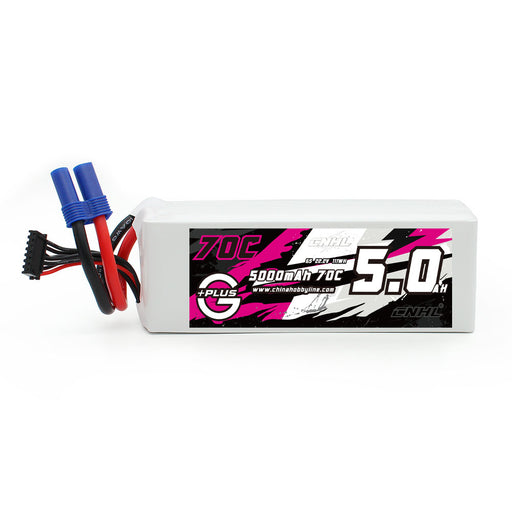
CNHL G+Plus 2200mAh 11,1V 3S 70C LiPo-akku mit EC3-Stecker Die beste Hauptempfehlung, sofern verfügbar. Sie entspricht der offiziellen Trainergröße von 2200mAh und verwendet einen EC3-Stecker für eine unkomplizierte Kompatibilität mit dem AeroScout S 2. |
| Beste XT60-2200mAh-Option |
CNHL Black Series 2200mAh 11,1V 3S Shorty-Lipo-akku 40C mit XT60-Stecker Eine starke, vielseitige leichte 3S-2200mAh-Option für Piloten, die bereits XT60-Packs in anderen RC-Flugzeugen verwenden. Erfordert einen passenden XT60-auf-EC3-Adapter. |
| Beste leichte Trainingskonfiguration |
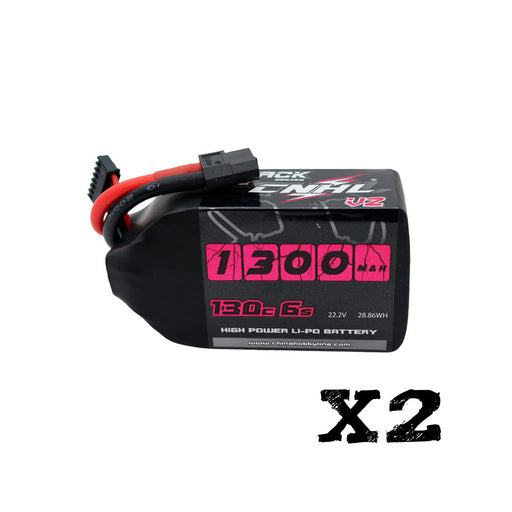
[Combo] 2 Packs CNHL Black Series 1500mAh 11,1V 3S LiPo-akku mit XT60-Stecker Eine leichtere Option für kürzere Flüge, wiederholte Start- und Landetrainings sowie für Piloten, die bei jedem Ausflug zum Flugplatz mehr Packs mitnehmen möchten. Erfordert einen passenden XT60-auf-EC3-Adapter. |
Die empfohlenen akku-Optionen können Sie hier ansehen: HobbyZone AeroScout S 2 akkus. Wenn Sie XT60-Packs verwenden, kombinieren Sie sie mit einem passenden XT60-auf-EC3-Akku-Steckeradapter und überprüfen Sie vor dem Anschließen des Packs immer die Polarität.
Akkuinstallation und Gewohnheiten vor dem Flug
Gute Gewohnheiten sind bei einem Trainer wichtiger, als viele Anfänger erkennen. Schalten Sie vor dem Anschließen des Flugakkus zuerst den Sender ein und aktivieren Sie die Gassperre. Befestigen Sie den akku sicher mit dem Gurt und dem Klettmaterial, damit er sich während des Flugs nicht verschieben kann. Ein verrutschender akku kann den Schwerpunkt verändern und dazu führen, dass sich das Flugzeug inkonsistent anfühlt.
Nach dem Anschließen des akkus sollten Sie auf die ESC-Töne achten und beobachten, wie die Steuerflächen initialisiert werden. Überprüfen Sie vor dem ersten Flug des Tages die Steuerrichtung, vergewissern Sie sich, dass SAFE/AS3X aktiviert ist, und bestätigen Sie den Schwerpunkt. Der offizielle Schwerpunktbereich liegt 60–75 mm hinter der Vorderkante an der Flügelwurzel.
Diese Prüfungen sind für einen neuen Piloten besonders wichtig. SAFE kann dabei helfen, das Flugzeug abzufangen, aber einen falschen Schwerpunkt, eine umgekehrt laufende Steuerfläche, einen losen akku oder eine mangelhafte Flugvorbereitung kann es nicht beheben.
Sollten Sie den AeroScout nach Ihrem ersten Flugzeug behalten?
Ja, und viele Piloten tun das. Eines der stärksten Themen in der Community ist, dass der AeroScout noch lange nach den ersten erfolgreichen Flügen nützlich bleibt. Piloten behalten ihn für entspannte Abendflüge, 3D-Event-Spaß, das Training mit Lehrer-Schüler-System, Auffrischungsflüge nach längerer Pause und Wasserflüge mit dem optionalen Schwimmerset.
Deshalb betrachten wir AeroScout akkus nicht als einmaligen Kauf für Anfänger. Wenn das Flugzeug in Ihrer Flotte bleibt, halten ein paar gute 3S-Packs es für genau die Momente bereit, in denen Sie einen einfachen, gutmütigen und entspannten Flug möchten.
Was HobbyZone als Nächstes tun sollte
Wir wünschen uns eine Nachtversion mit Beleuchtung. Außerdem würden wir gerne ältere HobbyZone-Klassiker wie den Firebird Outlaw oder den Firebird Stratos mit moderner Elektronik, größeren Spannweiten, Beleuchtung und mehr maßstabsgetreuen Details zurückkehren sehen. Und wir wünschen uns auch, dass der AeroScout Landeklappen hätte, um sein schwebendes Landeverhalten besser zu kontrollieren.
Diese Wünsche sind nachvollziehbar, denn der AeroScout ist für viele Piloten zu mehr als nur einem Produkt geworden. Er ist Teil ihres Einstiegs in dieses Hobby. Eine Nachtversion, ein Trainer mit Beleuchtung oder ein modernisierter klassischer Trainer würden wahrscheinlich auf großes Interesse stoßen, weil Piloten dieser Kategorie vertrauen, wenn sie richtig umgesetzt wird.
Fazit: Lohnt sich der aktualisierte AeroScout S 2 von 2026 noch?
Ja. Der aktualisierte HobbyZone AeroScout S 2 gehört weiterhin zu den besten ersten RC-Flugzeugen, weil er sich auf die richtigen Dinge konzentriert. Er ist robust, gutmütig, leicht zu erkennen, einfach zu landen, für Rasen geeignet, wird von SAFE und AS3X+ unterstützt und ist nun besser in RealFlight sowie in die moderne Spektrum-Senderkonfiguration integriert.
Es ist nicht das auffälligste Flugzeug. Es ist keine 4S-Speedmaschine. Es ist nicht der maßstabsgetreueste Trainer. Für ein erstes echtes RC-Flugzeug sind das jedoch nicht die wichtigsten Ziele. Das wichtigste Ziel ist, einem neuen Piloten zum Erfolg zu verhelfen – und genau darin glänzt der AeroScout S 2 weiterhin.
Wenn Sie den AeroScout S 2 kaufen, sollten Sie die Ausstattung auf das Lernen ausrichten: Simulatortraining, ruhige erste Flüge, korrekte Vorflugkontrollen und passende 3S-Akkus. Beginnen Sie mit dem Flugzeug und halten Sie es anschließend mit den richtigen Akkus aus der CNHL-Akku-Kollektion für den HobbyZone AeroScout S 2 in der Luft.
FAQ: Aktualisierter HobbyZone AeroScout S 2 von 2026
Ist der aktualisierte HobbyZone AeroScout S 2 von 2026 ein völlig neues Flugzeug?
Nein. Er basiert weiterhin auf der bewährten AeroScout-S-2-Trainerplattform, bietet aber wichtige Neuerungen wie den AR631+-Empfänger, AS3X+, Unterstützung für Smart Transmitter Files, die vollständige RealFlight Trainer Edition in der RTF-Basic-Version sowie Verbesserungen bei der Robustheit.
Ist der AeroScout S 2 als erstes RC-Flugzeug geeignet?
Ja. Er ist eine der besten Entscheidungen für das erste RC-Flugzeug, da er SAFE-Flugmodi, Panic Recovery, eine Druckpropeller-Anordnung, eine robuste EPO-Konstruktion, ein Dreibeinfahrwerk und gute Fähigkeiten für den Einsatz auf Rasen kombiniert.
Kann der HobbyZone AeroScout S 2 4S-Akkus verwenden?
Nein. Der AeroScout S 2 ist offiziell für 3S-LiPo-Akkus ausgelegt. Der empfohlene Bereich liegt bei 3S 11,1V 1300–2200 mAh; die Verwendung von 4S wird nicht empfohlen.
Welcher Akku ist für den AeroScout S 2 am besten geeignet?
Für die meisten Piloten ist ein 3S-2200-mAh-LiPo die beste Allround-Wahl. Ein 3S-1500-mAh-Akku kann für ein leichteres Handling, kürzere Flugzeiten und wiederholtes Landetraining sinnvoll sein.
Ist der AeroScout S 2 nur für Einsteiger geeignet?
Nein. Es ist als Trainer für Einsteiger konzipiert, aber viele erfahrene Piloten fliegen es weiterhin als entspanntes Sportflugzeug, Schulungsflugzeug im Lehrer-Schüler-Betrieb, Warm-up-Modell oder Auffrischungsflugzeug nach einer längeren Flugpause.






Hinterlassen Sie einen Kommentar