

CNHL Lipo Batteries
CNHL aim at providing high-quality Li-Po batteries and RC products to all hobby enthusiasts with excellent customer services and competitive prices
The Meteor75 Pro P1 is easy to misunderstand if you only skim the product name. It’s not a totally new “from zero” quad — it’s the Meteor75 Pro recipe, but built around a digital HD video system. If you already liked the idea of a durable 75mm whoop that doesn’t feel too fragile, the P1 version is basically that same vibe, just with HD added.

On paper, the headline is the P1 Air Unit: 1080p@60 live video, a wide field of view, and BETAFPV’s ArtLynk ecosystem that targets low-latency flight. The official pitch focuses on about 60ms glass-to-glass latency and long-range capability for an HD link (depending on environment and setup).
In real use, this mainly changes two things for pilots: the image is cleaner and more immersive than a typical analog whoop, and your power consistency matters more because digital systems don’t feel as forgiving when voltage drops hard.

The underlying Meteor75 Pro platform is a big reason this quad gets recommended to a wide range of pilots. It’s a “beefier” whoop approach: durable frame, practical design choices, and a setup that can take hits without feeling disposable. That’s also why many pilots see it as a more relaxed alternative to ultra-light competition-focused whoops.
Typical Meteor75 Pro specs people talk about include 1102 22000KV motors, 45mm tri-blade props, and a wheelbase around the 80mm class — basically the familiar 75mm whoop feel, but with a little more structure behind it.

If you’re coming from analog whoops, treat the HD version like it’s a little more “honest” about power. When the pack is tired, you’ll feel it sooner. That doesn’t mean you need the biggest capacity possible — it just means you’ll enjoy the quad more if your packs hold voltage well and fit the tray properly.
We keep the recommended setup for this quad on a dedicated page, so you don’t have to dig through listings: Meteor75 Pro P1 setup recommendations (battery match).
When a new HD ecosystem shows up, the first wave of comments is usually the same: compatibility, OSD, range claims, and whether it’s “worth it” versus other brands. Here’s the practical way to think about the Meteor75 Pro P1 setup.
Can I use my analog goggles with this?
No. The Meteor75 Pro P1 is built around a digital HD video link. Analog goggles won’t receive a digital VTX signal, so you’ll need the supported HD goggles in the same ecosystem.
Does it work with DJI Goggles V2?
No. DJI digital goggles are a different system. This whoop is designed for the ArtLynk-based HD link and compatible HD goggles, not DJI.
Where is the OSD, and will the goggles record OSD?
OSD behavior is one of those details that makes people picky. Some goggles show OSD live but don’t record it the same way other ecosystems do. If recorded OSD is important for you (reviewing voltage, timers, RSSI, etc.), verify how the goggles handle it before you commit.
“5km range at 200mW with omni antennas” sounds exaggerated. Is it?
Skepticism is fair. Long-range numbers are usually best-case: clean RF, open space, correct antenna orientation, and careful flight line. Also, a directional patch antenna can change the story a lot compared to omni-only goggles. In normal use, focus on “stable HD link for whoop flying” rather than chasing the headline distance.
Why not a more powerful VTX, like 1.2W?
On a small 1S HD whoop, heat and battery load become the limiting factors quickly. More power can also mean more thermal stress and less consistent performance over a pack. For most pilots flying a whoop, stable image and predictable handling usually matter more than max watts.
Can I use these goggles for my analog drones?
Not by default. Analog requires an analog receiver path. Unless the goggles support an analog module/input designed for it, treat them as HD-only goggles for the matching ecosystem.
Will it support INAV (or INAV fonts / OSD elements)?
That question usually comes down to what the goggles can display, not only the flight controller. If your goal is specific INAV OSD elements/fonts, confirm what the goggles support for OSD rendering.
For a clean, lightweight setup, we keep the recommended option on the battery collection page here: Battery for BETAFPV Meteor75 Pro P1.
CNHL aim at providing high-quality Li-Po batteries and RC products to all hobby enthusiasts with excellent customer services and competitive prices

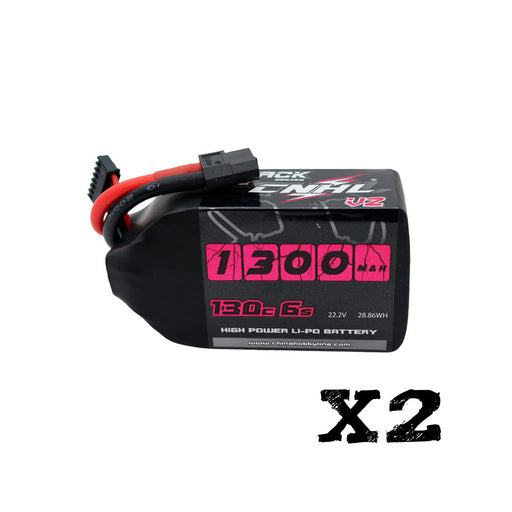
Quick Fit Check The 2 Packs CNHL Black Series V2.0 1300mAh 22.2V 6S 130C LiPo Battery with XT60 Plug is a strong fit for FPV pilots who want a prov...
View full details

Spare Parts & Long-Term Support We know that for RC pilots, reliable spare parts support is an important part of keeping an aircraft fl...
View full details
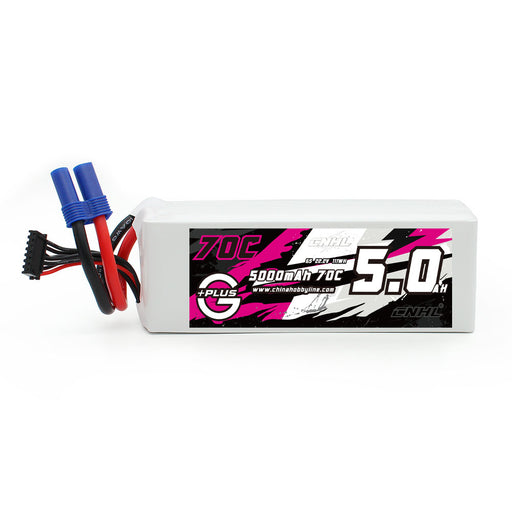
Specifications: Stock Number: 500706EC5 Capacity: 5000mAh Voltage: 22.2V / 6-Cell / 6S1P Discharge Rate: 70C Continual / 140C Burst Charge Rate: ...
View full details
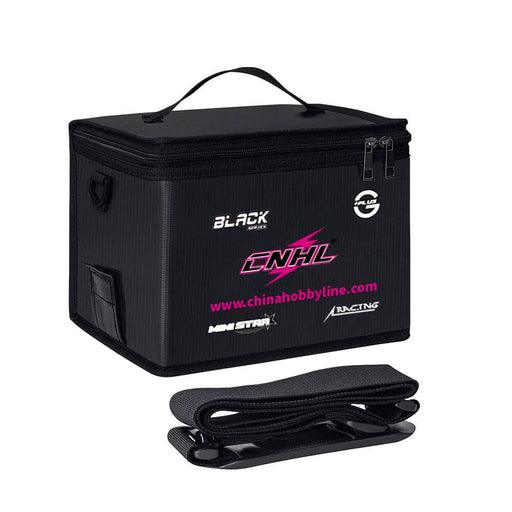
The CNHL LiPo Battery Bag is designed for safer LiPo charging, transport, and storage at home or at the field. It adds a practical layer of protect...
View full detailsQuick Fit Check The 2 Packs CNHL Speedy Pizza Series Pro 1350mAh 6S 150C LiPo Battery with XT60 Plug is built for 5-inch FPV pilots who want a ...
View full details

The WNF Mitsubishi Lancer Evolution IX is an officially licensed Mitsubishi Motors 1:64 RC drift car that combines detailed Evo IX styling with rea...
View full details

The ISDT K4 is a high-power 8S LiPo smart dual charger built for demanding RC battery setups. It combines two independently controlled charging cha...
View full details

The ISDT PC-4860S is a compact four-port XT60 parallel charging board designed for experienced RC and FPV users who want to connect multiple co...
View full details

Quick Take: This officially licensed WNF 1:43 Land Rover Defender 110 Pick-Up RC crawler combines the proportions and detailing of the 1993 ...
View full details

Quick Fit Check Continuous / Peak Current: 20A / 30A peak Battery: 3-4S LiPo BEC: No Motor Connectors: 3.5mm gold female ...
View full details

Leave a comment